Your IT landscape in KANAP in ten minutes
Explore with the example · Start with my own data
Fromage & Co is a fictional cheese group whose example is loaded in your workspace. In ten minutes on its IT landscape, you read the application inventory, open a critical application, see where it runs, find what reaches its end of support and see how your own file comes in.
These are the five steps of the Your first five steps tile on the home page, for the path The IT landscape map with Explore with the complete example. Each step in the tile opens its screen with a short hint, and opening it marks it done. See Trial: your path and first steps.
1. The application list
IT landscape > Applications
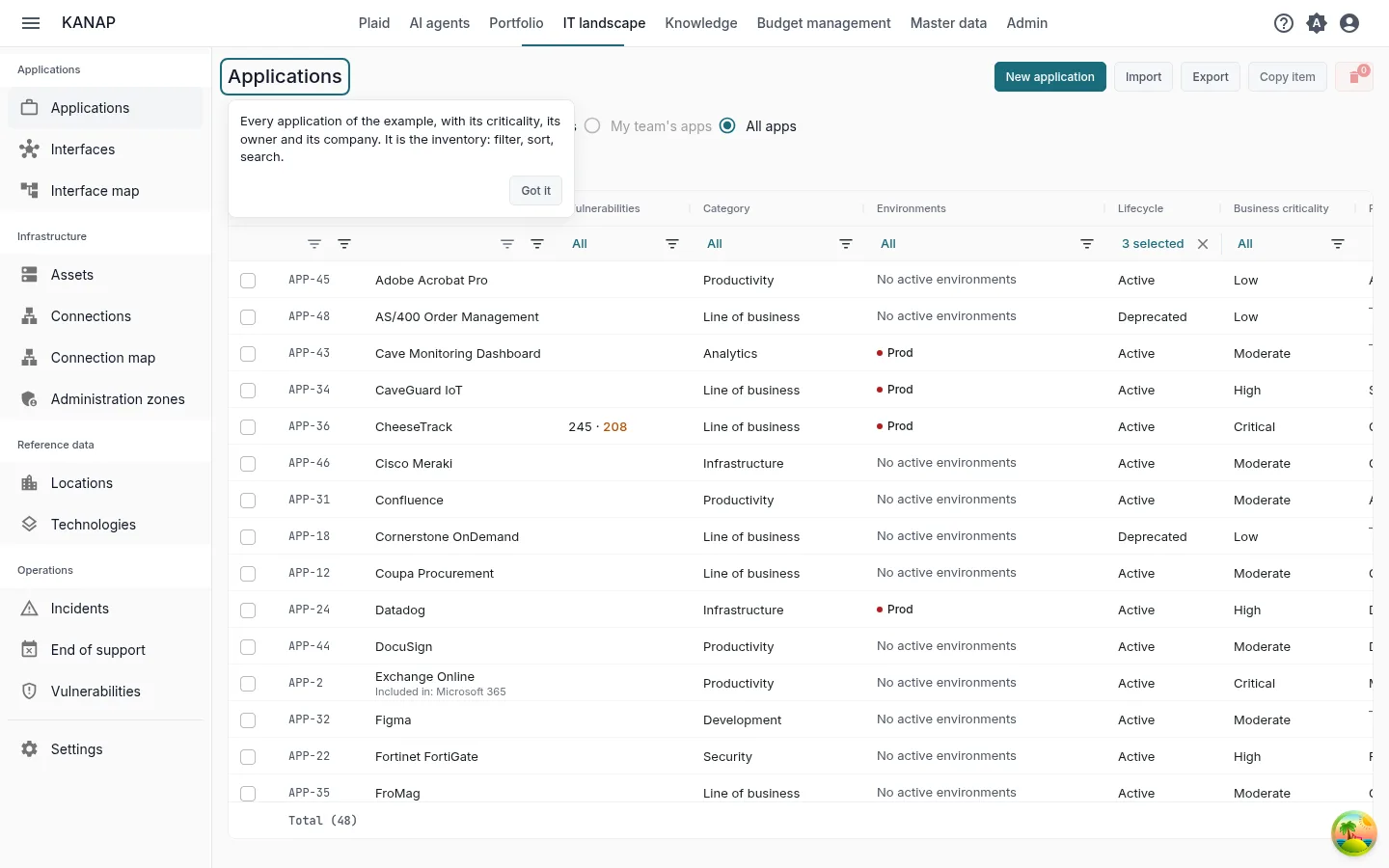
What to do. Filter, sort and search the list, for example on criticality.
What you see. Every application of the example with its criticality, its owner and its company. It is the inventory the rest of the map hangs on.
2. An application record
The most critical application, opened by the step
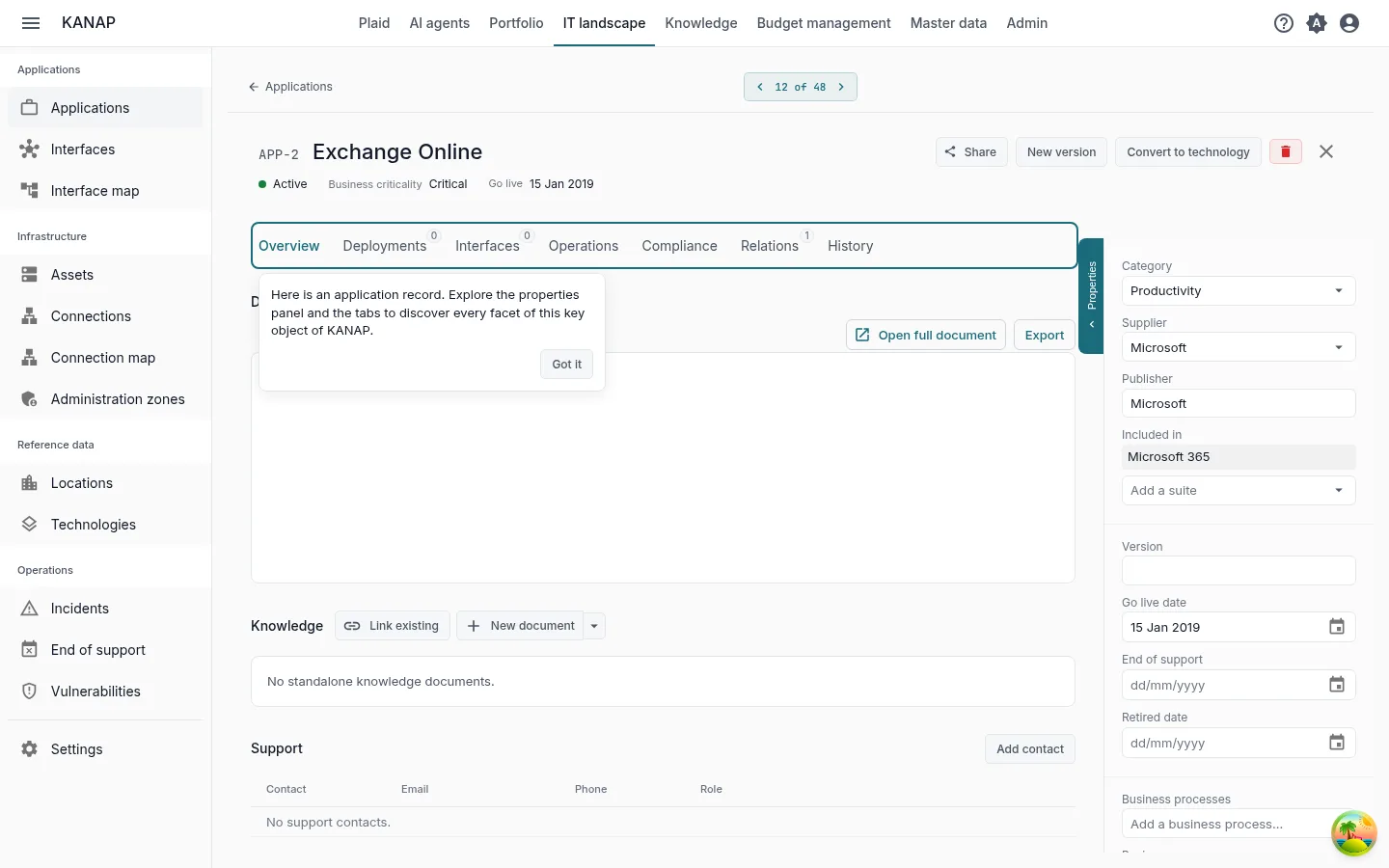
What to do. Read the properties panel, then open the tabs: Deployments, Interfaces, Operations, Relations.
What you see. The properties panel gives the publisher, the dates of its lifecycle and its owners. Deployments shows one block per environment with the servers that run it. Interfaces lists the data flows in and out. Operations lists the technologies the application depends on, with their end of support. Relations links it to budget lines, contracts and projects.
3. The servers
IT landscape > Assets
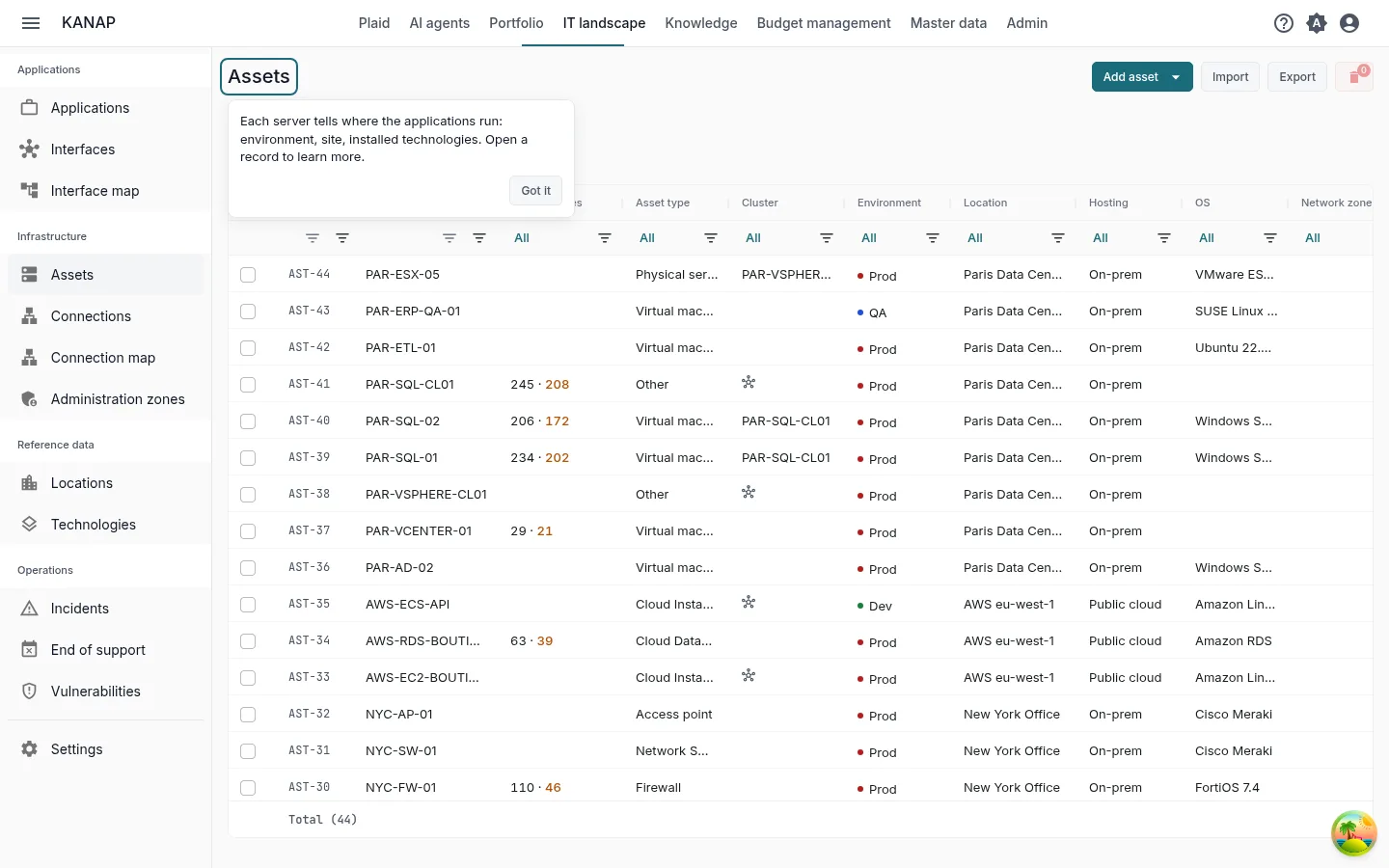
What to do. Open a server.
What you see. Each server says where the applications run: its environment, its location and the technologies installed on it. Its Operations tab lists the applications it hosts.
4. Technologies, end of support and vulnerabilities
IT landscape > End of support
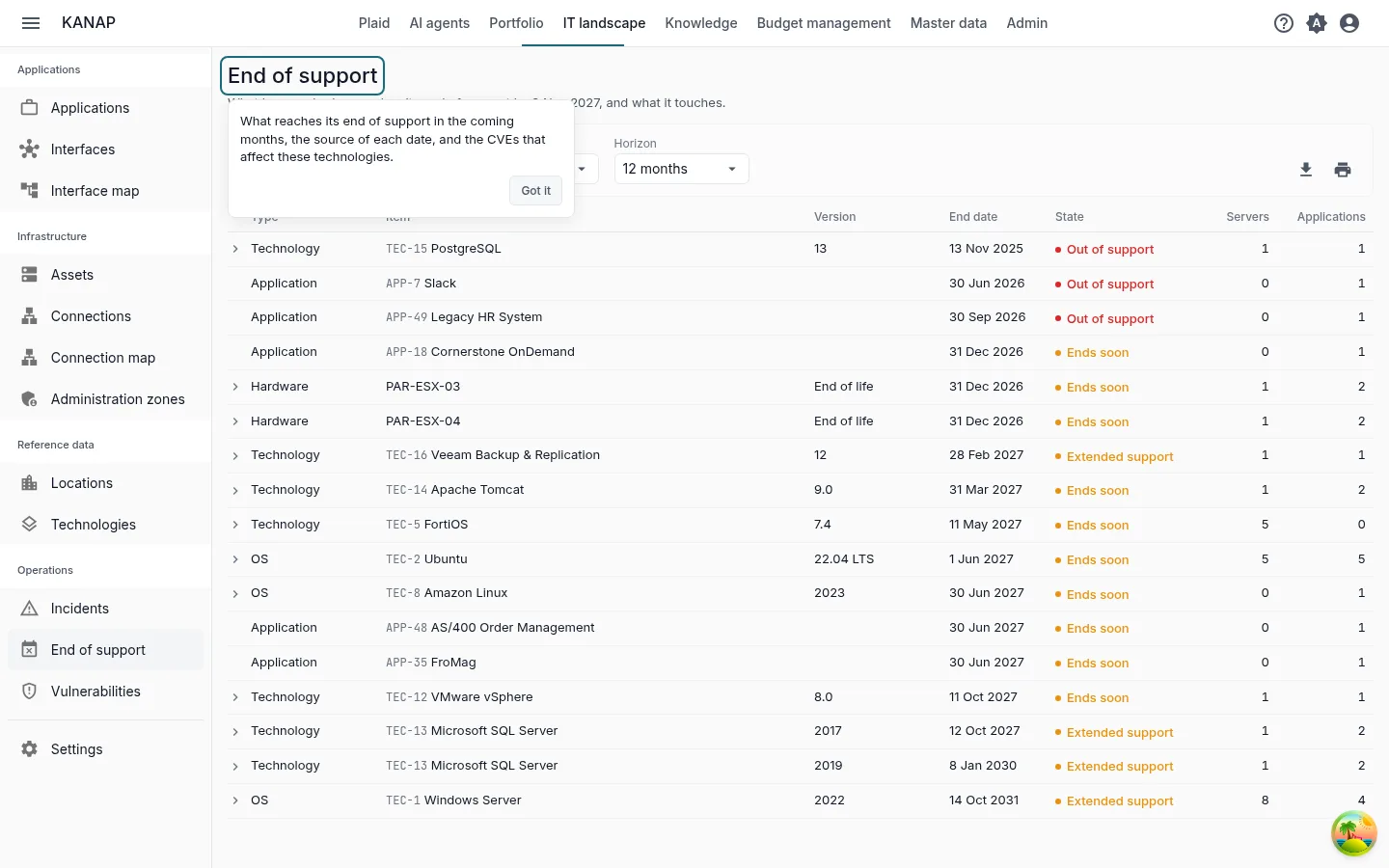
What to do. Choose a Horizon, then click a row to unfold the servers and the applications it touches. Open a technology from its row.
What you see. What has reached or reaches its end of support within the horizon, with its State: Out of support, Extended support or Ends soon. On a technology, a version marked Catalog takes its dates from the KANAP catalog, kept up to date from the publishers' calendars. IT landscape > Vulnerabilities lists the published vulnerabilities (CVE) that affect the versions you declare, with the servers and applications concerned.
5. Your data
IT landscape > Applications, Export
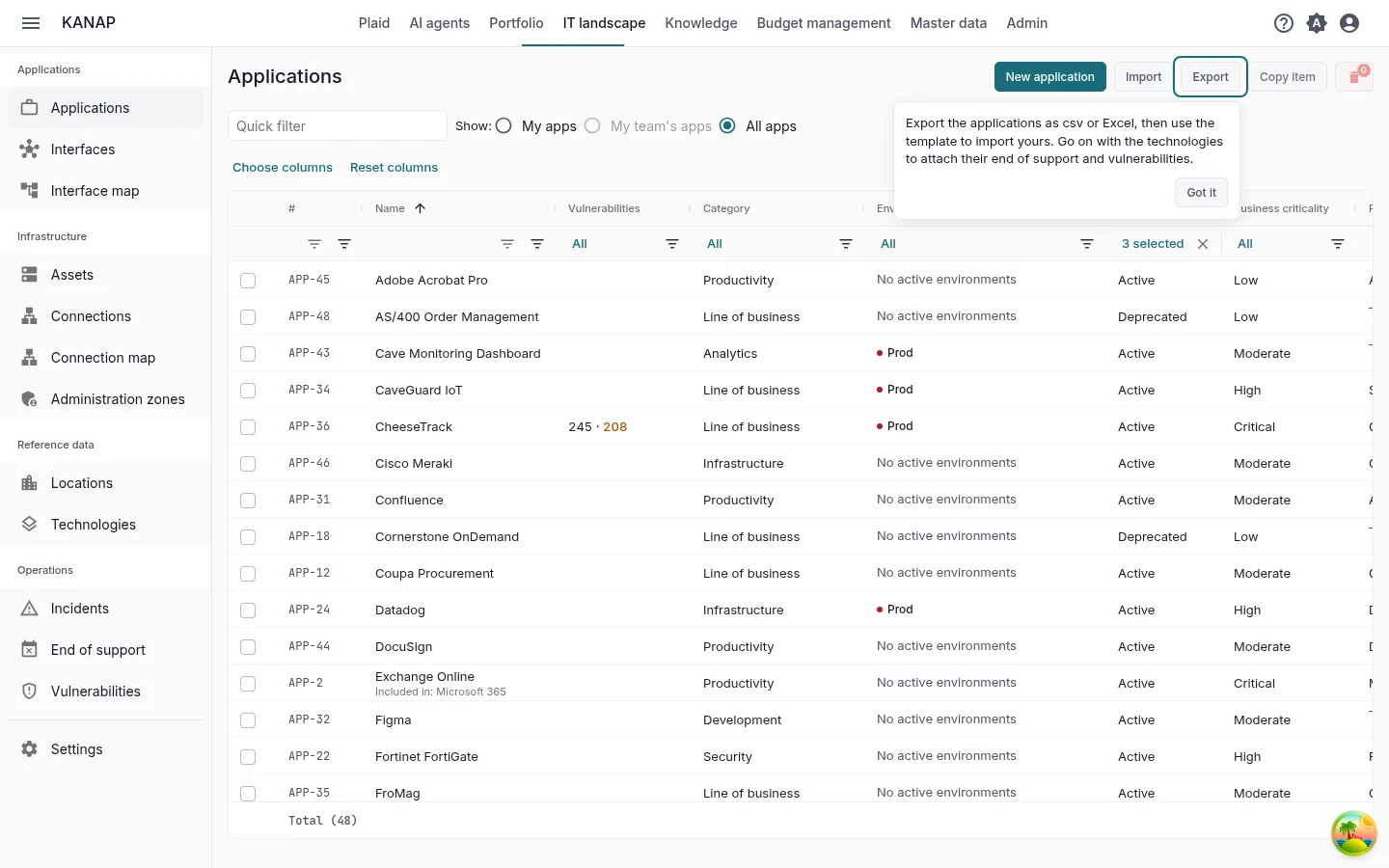
What to do. Click Export, choose CSV or Excel (.xlsx) and open the file. Then click Import and Download an example.
What you see. The export titles its columns in your language and the import reads the same columns: use it as a template for your own applications. The example workbook holds a few applications, the other columns on an Advanced sheet and what each column takes on a Notes sheet. Go on with the technologies to attach their end of support and vulnerabilities. Export and Import are shown to the administrators of the list.
To start from a file you already keep, attach it to a message in Plaid with Attach a file. Plaid reads its column headers, the type of each column and the first ten rows, and can say what each column holds.
Next
You have seen the essentials of KANAP for the IT landscape. The two other paths also take ten minutes:
When the five steps are done, the tile offers these paths. During the trial, it also offers Book a discovery call.
To go further: Applications, Assets, End of support, Vulnerabilities, CSV and Excel files.